No more night shifts in Excel. All events, bookings and payments in one place.
S-CRM.eu will help you keep clear records of participants, manage invoicing and send out instructions. Get rid of tedious admin and focus on the content itself.
Do you recognise yourself in this?
The difference between Excel and S-CRM.eu
Spreadsheets are great for numbers, but insufficient for organizing people and payments.
The stress with spreadsheets and emails
- • A lot of different lists, papers and tables: notes and applications in email, data in Excel, doubts about what actually applies.
- • Manual rewriting of invoices: You must manually enter each name and company ID into the invoicing program.
- • Checking payments on the statement: checking the bank account and payment references line by line in the evening.
- • Complicated printing of the attendance list and ticking off on arrival: difficult registration, confusion and searching for names on the printed sheet at the reception before the start.
Peace and order with S-CRM.eu
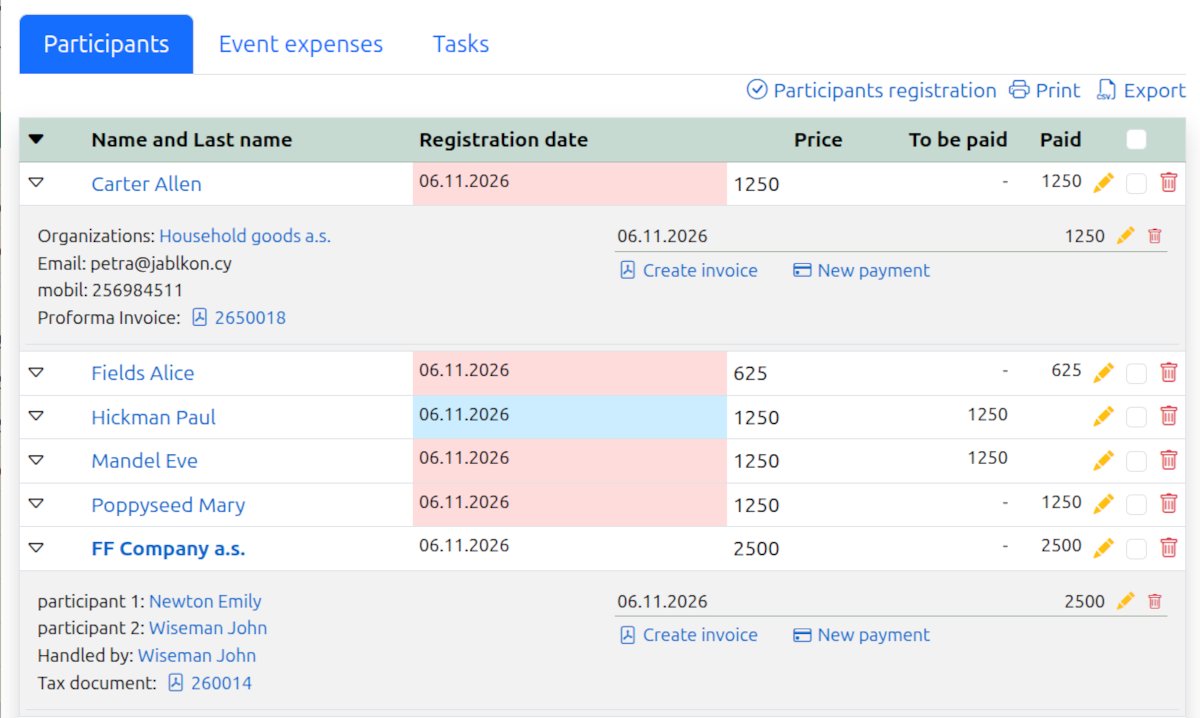
- • All events and people on a single screen: capacity, contacts and payment statuses are always at your fingertips.
- • Pre-filled invoice with one click: registration data is automatically transferred to the document without data entry.
- • Payment records without confusion: an instant overview of who has already paid and how much.
- • Attendance at the event directly from your mobile phone: simply check off the participant upon arrival.
How it works in 3 steps
A simple journey from event setup to a successful day on site.
1. Enter the event and register the participants
You create an event and set its capacity. Participants register, their details are automatically recorded in the CRM, and you have an immediate overview of availability and notes.
2. Confirm the payments and issue a receipt
When a payment is credited, you can mark it as received and issue an invoice with the relevant documentation at the click of a button, without having to enter the details manually. Alternatively, you can issue a payment request straight away whilst processing the application. The choice is yours.

3. Send the instructions and check in on the spot
Send out instructions to participants via a bulk email in just three clicks, and at the event itself, you can quickly check them in at the entrance straight from your mobile.
All the tools for a successful event
No unnecessary clutter. Just features that genuinely save organizers time.
Registration of participants and capacities
Get an instant overview of all registrations and occupancy status. No more counting and recalculating.
Payments under control
Keep track of who has already paid and who still owes. Clear balances without complications.
Invoices without rewriting
Generate PDF invoices directly from the system. All contact and billing details are transferred automatically.
Bulk emails
Send instructions, organisational changes or offers to all participants, addressing each one individually.
Mobile check-in at the entrance
Check in guests on the spot in a flash using your mobile or tablet, without the need for printed forms.
Data for better marketing
Advanced attendee segmentation helps better target marketing for future events.

Customer support via phone and email.
Do you need advice on anything, or help with setting something up? Give us a call or drop us a line. We’re here for you from Monday to Friday and will be happy to help you with anything.